How to Use
murva
Learn how to master our virtual instruments, collaborate with others, and create amazing music together in real-time.
Knowledge Base
Welcome to murva
Your gateway to real-time collaborative music making
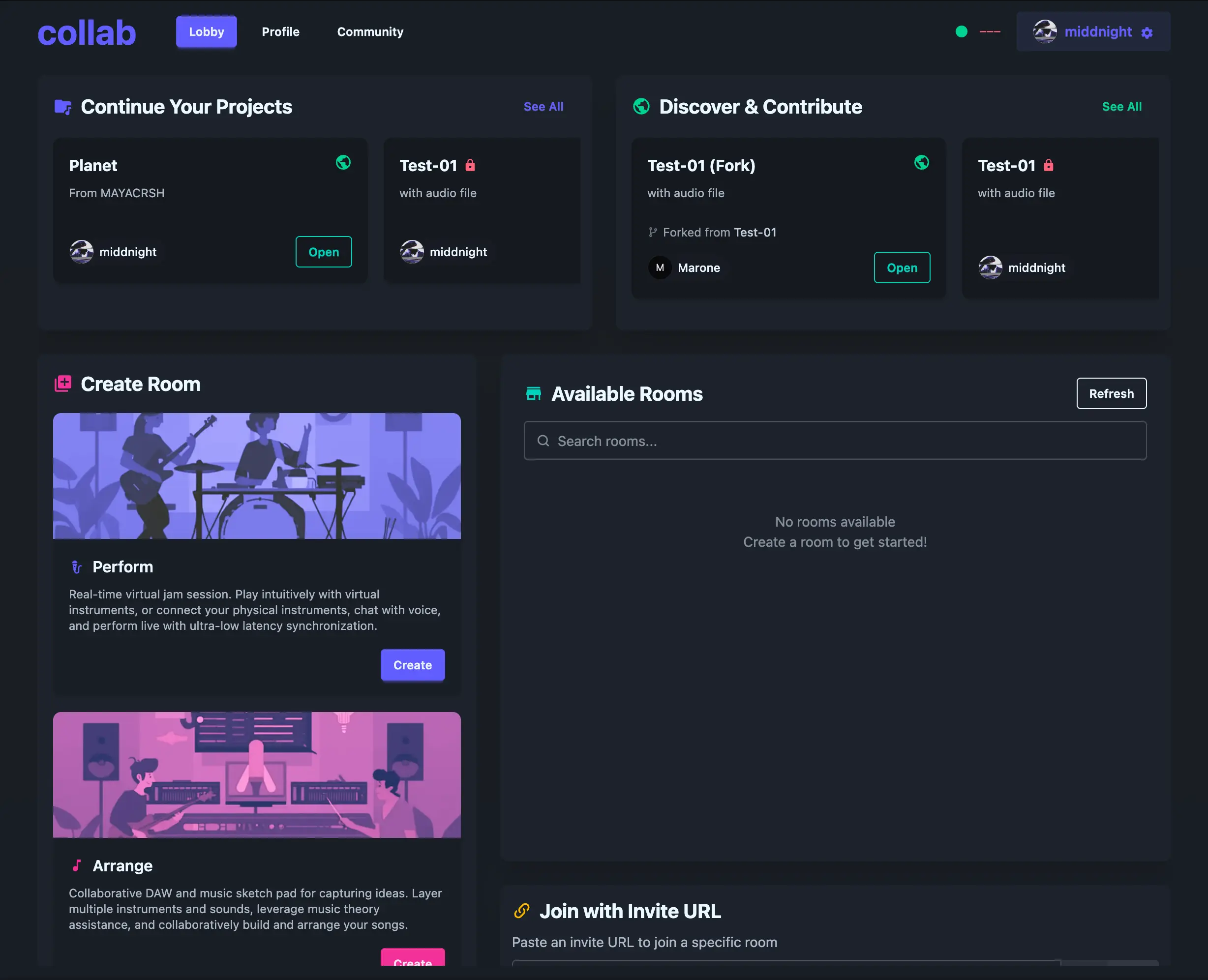
Complete app interface showing all instruments and collaboration features
What is murva?
murva is a revolutionary web-based platform that enables musicians to create music together in real-time, regardless of their physical location. Whether you're a beginner or an experienced musician, our platform provides the tools you need to jam, create, and collaborate.
Perfect for remote jam sessions, music lessons, skill development, or just having fun making music with friends. No installation required - everything runs directly in your browser with professional-quality audio.
Key Features
Perform Rooms
Live jamming environment with synchronized instruments, voice chat, and real-time interaction for bands and audience.
Arrange Rooms
Collaborative DAW for production. Arrange tracks, fork projects, and manage versions together in real-time.
Music Theory Assistance
Intelligent scales, chord triggers, and mapping to help you create professional-sounding music regardless of skill level.
Pro Tools
Shadow Capture for retroactive recording, Multi-track DAW editing, and professional export to Logic, Ableton, or FL Studio.
Getting Started
Create or Join a Room
Start by creating a new room or joining an existing one with a room code.
Choose Your Instrument
Select from Keyboard, Guitar, Bass, Drums, or Synthesizer based on your preference.
Start Jamming!
Use the virtual instruments, enable voice chat, and start making music together in real-time.
Perfect For
Music Enthusiasts
Anyone who loves music and wants to create with others
Remote Bands
Musicians separated by distance who want to jam together
Music Education
Teachers and students for interactive music lessons